


Toddler Games - Tiny Minies
4.28.00 Reviews
App Specs
- Version
- 9.8
- Updated On
- License
- Free
- Downloads
- 500,000+
- Developer
- Gamester Eğitim Bil. ve Yazılım Teknolojileri AS
- Categories
- Educational
- Platform
- Android, iOS
Screenshots
 Analysis by AppCompare
My favorite way to judge a learning game for young children is to watch what happens after the first tap: does the child understand what to do, notice the result, and want to try again? Toddler Games - Tiny Minies is aimed at toddlers and preschoolers, and its appeal is that it makes early learning feel like a set of small, approachable play moments rather than a lesson. I’d consider it for a short stretch of play at home, especially when a child wants to explore on their own while I stay nearby.
Starting with a tap, not a tutorial
The first useful thing about a game for this age is whether a child can get going without an adult explaining every screen. Tiny Minies uses bright visuals and simple tap-and-swipe interaction, which suits children still learning how to control a touchscreen. In practice, I’d sit with a toddler for the first few minutes, show how to begin an activity, and then see whether they can repeat the action independently. That small introduction can make the difference between confident exploration and random tapping.
The game is free to download and is listed for Everyone, so it can be an easy option to try as a family. It was released on September 8, 2020, and its current version is 9.8, with a minimum operating-system requirement of 8.1. Those details matter most when you are checking an older phone or tablet before handing it to a child. The game is made by Gamester Eğitim Bil. ve Yazılım Teknolojileri AS, and its educational focus is clear from the way it brings different early-learning activities together.
How the play feels from one action to the next
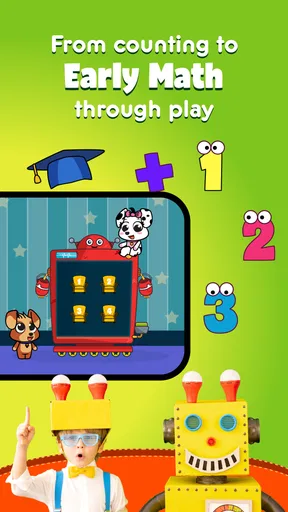
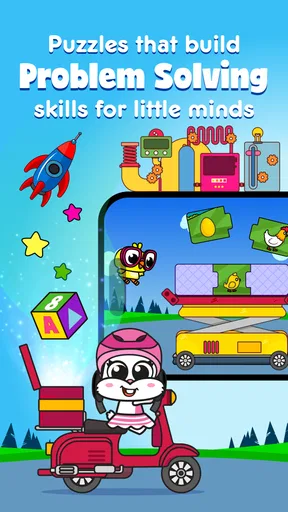
The activities cover areas such as puzzles, hand-eye coordination, animals, shapes, and colors. That mix gives a child more than one kind of task to try: matching or arranging pieces asks for a different kind of attention than simply recognizing a familiar object. I like this variety for short sessions because a child can move from one style of activity to another instead of getting stuck on a single challenge.
The useful rhythm is straightforward: a child taps or moves something, sees what happens, and gets a cheerful sound or visual response. That feedback helps make an activity feel understandable, particularly for children who are not yet reading instructions. If a toddler makes a mistake, I would treat it as a chance to try again rather than immediately taking over. The point is not to race through activities; it is to let the child notice the connection between an action and its result.
What the rewards do—and what they do not
Music and sound effects give the activities an upbeat feel without, in my experience, becoming a reason to reach for the volume button. That matters during everyday use, when a parent may be nearby doing something else but still wants the game to remain pleasant in the room. The reward is mainly the immediate response to play: the child can see or hear that an action has registered and then continue exploring.
I would not use the game as a substitute for conversation or hands-on learning. If an activity brings up an animal, for example, a parent can name it, make its sound, or connect it to a book or toy nearby. That turns screen time into a prompt for interaction rather than a quiet replacement for it. The game works best as one small part of a child’s day, not as the whole plan for keeping them busy.
Worth Reading Before You Choose

EA SPORTS FC Mobile 26 Is a Bigger Football Game, but It Takes Time

Flipboard Shows What News Apps Must Do Beyond the Feed

Switching to Android Auto Means Rethinking Your Driving Routine

Google Calendar Makes a Crowded Week Easier to Manage

Ludo King Makes the Most of the Minutes Between Plans

Baby Panda World Brings Quick Play to Modern Phones, but Its Game Library Feels Busy
Choosing the right session for your child
I’d use this section to help you match a session to your child’s mood and attention, rather than treating every activity as a lesson to finish. A brief turn can be enough when they are curious and responding; if they start tapping without looking, I’d take that as a cue to pause. The next question is how to make that stopping point feel like a natural transition.
A practical routine, with an adult close by
A realistic use case is a short wait at home while dinner is being prepared or a few calm minutes before moving on to another activity. I would set the device down where I can see it, let the child choose what to explore, and stay close enough to help if a screen becomes confusing. When the child starts repeating the same action without paying attention, that is a good cue to pause and switch to a book, a toy, or a conversation. The app can occupy a moment; it does not need to fill the entire gap.
For parents deciding whether to install it, the store figures offer some context without telling the whole story: Tiny Minies has a 4.2 average from around 2,600 ratings, and it has over 500,000 installs. It has eight written reviews, so I would put more weight on trying the activities with your own child than on expecting those numbers to predict a particular family’s experience. The basic download costs nothing, while optional in-app purchases range from around $2.99 to $69.99 per item. I would check purchase controls on the device before giving it to a toddler, since young children can tap quickly and may not understand purchase prompts.
Where it fits among other learning games
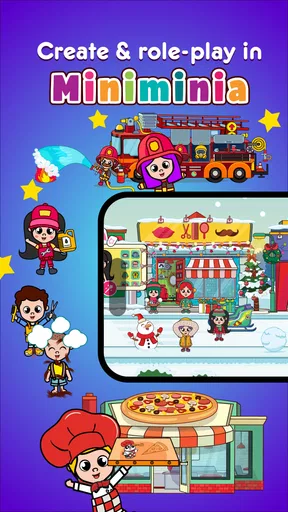
Compared with a single-purpose alphabet or counting app, this game is more useful when you want a choice of early-learning activities in one place. Its mix of puzzles and familiar themes can suit a child whose interests change from day to day. A focused app may be a better choice, though, if your goal is deliberate practice with one specific skill, or if you want a clear progression through a particular subject. Tiny Minies is better approached as a collection for exploratory play than as a structured course.
It may also be a poor fit for a child who needs an adult to guide every step or who becomes frustrated by touchscreen tasks. A parent can make the first attempts easier by demonstrating one action, then letting the child take over, but the game cannot replace that support. If your child is not enjoying the screen interaction, there is little benefit in insisting; a physical puzzle or a shared picture book may be more comfortable and just as valuable for that moment.
Limits worth keeping in mind
The breadth of activities is appealing, but variety alone does not guarantee that every task will suit every age or ability. Toddlers develop at different speeds, and a puzzle that feels satisfying to one child may be too easy or too difficult for another. I would watch for signs of engagement—trying again, paying attention to the response, or talking about what appears—rather than measuring success by how long the child stays in the game.
There is also a practical trade-off in having a digital collection available on a device: it is convenient, but it can make transitions harder if a child expects to continue playing. I find it helpful to decide on the stopping point before opening the app and to say what comes next, such as washing hands or choosing a story. That makes the reset part of the routine, not an abrupt surprise. The game is most useful when the adult sets the boundaries and the child gets room to explore within them.
My take on the play loop
The reason another session may begin is simple: a child can choose a different activity, try a familiar one again, and receive immediate feedback without needing to master a long sequence first. That low-pressure loop suits brief bursts of play and makes the app easy to revisit when a child is curious. It is less compelling if you are looking for a deep game narrative, a formal teaching plan, or a way to leave a young child completely unsupervised.
There’s nothing quite like watching a child’s face light up with sheer joy and curiosity. If you're a parent or guardian, you'll know exactly what I'm talking about. Recently, I stumbled upon an app called Toddler Games - Tiny Minies, and it’s quickly become a favorite in our household. If you’re searching for a way to entertain and educate the littlest members of your family, then this app might just be the perfect fit.
Interface and Design
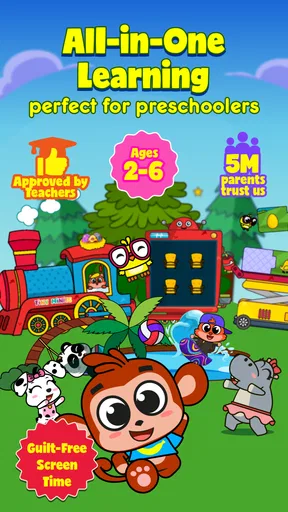
First things first, let’s talk about the design. The interface is bright and colorful, which immediately captures the attention of young ones. Navigating through the app is a breeze, even for toddlers. It’s designed to be intuitive, so kids can easily tap and swipe their way through various games without much help. The simplicity is key here, allowing children to explore and learn independently.
Games and Features
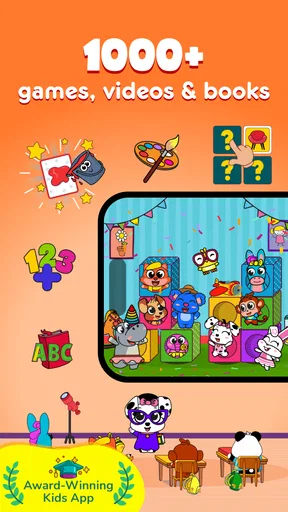
The app offers a wide range of games that focus on different skills. From puzzles that boost problem-solving abilities to games that enhance hand-eye coordination, there’s a little bit of everything. One of the standout features is the variety of themes available, including animals, shapes, and colors. This diversity keeps the app fresh and exciting every time your child opens it.
Another fantastic feature is the music and sound effects. They are cheerful and pleasant, adding an extra layer of enjoyment to the experience. Trust me, you won’t find yourself rushing to turn down the volume like with some other kids’ apps!
Educational Value
We all want our children to learn while they play, and Toddler Games - Tiny Minies does an excellent job at this. The app is designed to support cognitive development and early learning. Each game has educational elements subtly woven into the fun, so kids are learning without even realizing it. It’s a win-win for both parents and children.
Safety and Privacy
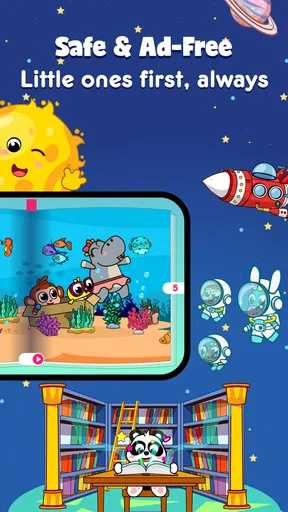
One of my biggest concerns with kids’ apps is safety, and I’m happy to report that this app takes it seriously. There are no ads or pop-ups that could lead your child astray, and it doesn’t require any unnecessary permissions. It’s clear that the developers have put a lot of thought into making this app a safe environment for kids to explore.
Why Your Toddler Will Love It
In a world filled with digital distractions, finding quality content for kids can be challenging. But Toddler Games - Tiny Minies is a breath of fresh air. It combines fun, education, and safety in a way that’s rarely seen in the app market. Your toddler will adore the playful graphics, engaging activities, and gentle challenges that encourage growth.
Final Thoughts
If you’re on the hunt for an app that will keep your toddler entertained while also providing educational value, look no further than Toddler Games - Tiny Minies. It’s a charming app that has quickly become a staple in our daily routine. So, give it a try and watch your little one’s imagination come to life!
Pros
- Engaging educational content for toddlers.
- Colorful graphics to capture young attention.
- Simple interface suitable for small fingers.
- Variety of mini-games keeps it interesting.
- Offline play available for convenience.
Cons
- Limited content may bore older toddlers.
- In-app purchases can be distracting.
- Some features locked behind paywall.
- Ads might interrupt gameplay.
- Requires regular updates for new content.
FAQs for Toddler Games - Tiny Minies
What age group is Toddler Games - Tiny Minies suitable for?
Toddler Games - Tiny Minies is designed specifically for young children, typically ranging from 2 to 5 years old. The app offers a variety of simple, engaging activities that promote learning through play, making it an excellent choice for toddlers and preschoolers who are just beginning to explore digital games.
Does Toddler Games - Tiny Minies require an internet connection to play?
No, Toddler Games - Tiny Minies does not require an internet connection for most of its activities. This makes it a convenient option for parents who want their children to enjoy educational games on the go, without needing to worry about finding Wi-Fi or using mobile data.
Are there in-app purchases or ads in Toddler Games - Tiny Minies?
While Toddler Games - Tiny Minies offers a free version with limited content, it does include optional in-app purchases to unlock additional games and features. The app is free from ads, ensuring a safe and uninterrupted experience for young children as they play.
How does Toddler Games - Tiny Minies support child development?
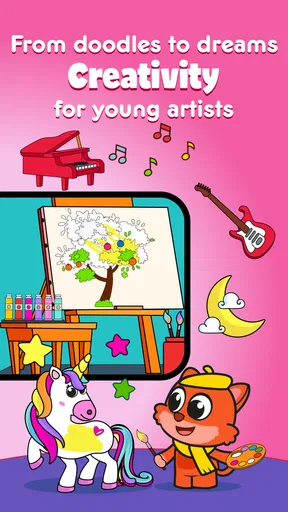
Toddler Games - Tiny Minies is designed to support early childhood development by offering activities that enhance cognitive, motor, and social skills. The games encourage problem-solving, creativity, and hand-eye coordination, all within a fun and interactive environment that engages young minds.
Is Toddler Games - Tiny Minies available on both Android and iOS?
Yes, Toddler Games - Tiny Minies is available for download on both Android and iOS devices. This ensures that parents can easily access the app regardless of their preferred platform, providing their children with a consistent learning experience across different devices.


